The same trend video can pull ten thousand views or ten times that, and the deciding factor is usually not the video. It is the day it goes live. Publish while a topic is still climbing and the algorithm has room to carry you. Publish a week later, into a feed already crowded with established channels covering the same thing, and the ceiling drops before you even upload.
Most creators find trends too late. A topic blows up on their feed, they spend three days scripting and filming, and they publish into a conversation the big channels already own. The window closed before they got through the door.
The creators who win with trending topics are not luckier or faster to react. They run a repeatable system that spots trends earlier, validates them against real search demand, and ships them before the topic saturates. That is the whole difference between a channel that grows with trends and one that always arrives after the peak.
This guide is that system. It covers every method for finding trending YouTube videos in your niche, how to tell a short-lived spike from a sustained trend worth building around, what changed when YouTube retired the Trending tab in 2025, and a weekly workflow that keeps you ahead of the curve without living inside every platform all day.
What Are YouTube Trends and How Do They Work
A topic trends on YouTube when it crosses a threshold of view velocity, engagement rate, and search volume growth that triggers the algorithm to amplify it further. The algorithm does not create trends. It accelerates the ones already gaining momentum on their own. Your job is to catch that momentum early, not to manufacture it.
Two 2026 algorithm shifts change how a trend pays off. YouTube now weighs viewer satisfaction, how good people feel after watching and not just how long they stayed, so a trend video that genuinely answers the moment gets pushed harder than one that simply holds attention.
The second shift is that Shorts are siloed. The feed only serves a Short to people who already watch Shorts, so the same trend reaches a different pool of viewers in short form than it does in long form. Both shifts decide which format to reach for when a trend breaks, a choice covered in the 2026 section below.
Understanding what drives YouTube search trends matters because it determines how you respond to them. Not every trending topic is worth creating content around. Two types of trends appear on the platform regularly and they require completely different responses.
| Viral Spike | Sustained Trend | |
|---|---|---|
| Duration | 24 to 72 hours | Weeks to months |
| Search volume | Sudden spike, rapid drop | Gradual rise, stable plateau |
| Competition | Saturates within hours | Builds gradually |
| Content ROI | Low unless you publish same day | High, evergreen potential |
| Example | Celebrity news, one-off challenges | AI tools, personal finance, Shorts |
A viral spike rewards only the fastest publishers. By the time most creators notice it, the window has already closed. A sustained trend is the opposite: it rewards the creator who spots the rising signal early and builds around it before competition densifies.
So the goal of a trend research system is not to chase every spike. It is to catch sustained trends at the earliest point of their growth curve, confirm they have real search demand behind them, and publish before the topic gets too competitive for a smaller channel to rank in.
What Replaced the YouTube Trending Tab
For a decade the Trending tab was the first place creators looked to see what was taking off. That page is gone. In July 2025 YouTube retired the standalone Trending page and the Trending Now list, and the change rolled out across the platform later that month.
The stated reason was that a single national list no longer reflects how people watch. Trends now form inside many small communities at once, so one ranked feed of twenty videos hid far more than it ever revealed.
What sits in its place is YouTube Charts, split by category instead of rolled into one feed. The active charts cover Trending Music Videos, Weekly Top Podcast Shows, and Trending Movie Trailers, and the Music tab now occupies the sidebar slot the Trending tab used to hold.
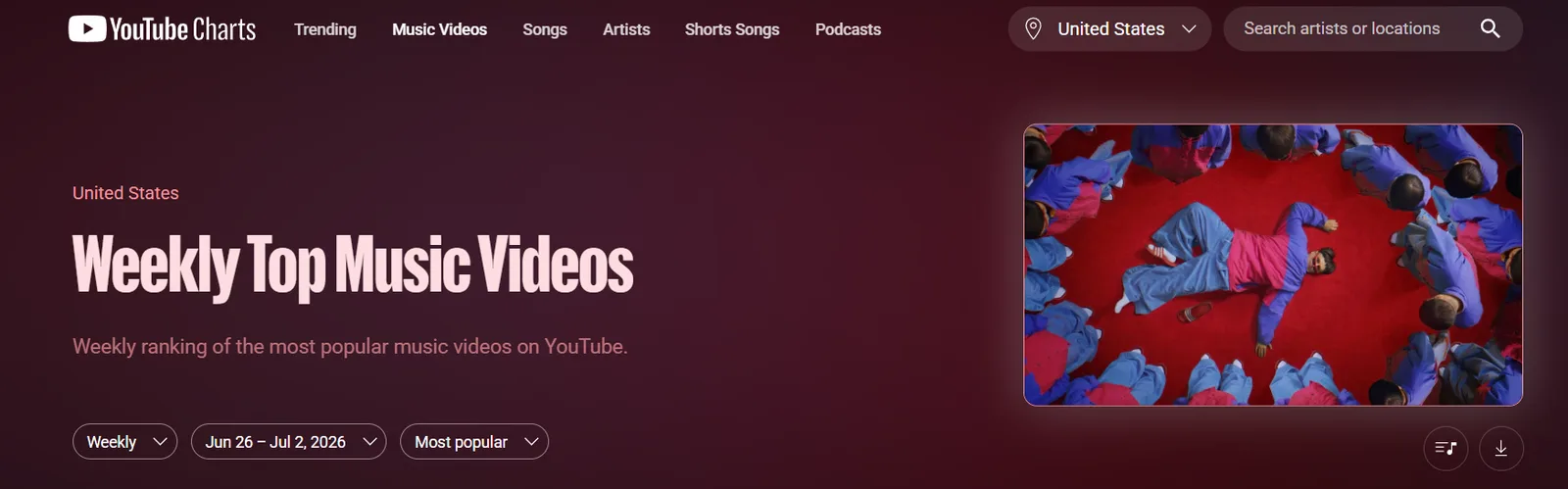
For everything outside those categories, discovery moved into the Explore menu and personalized recommendations rather than a fixed public ranking anyone can read at a glance.
For most creators this matters less than it first sounds, because the Trending tab was always a lagging indicator. By the time a video reached it, the topic had already saturated and the early publishing window had closed.
The charts that replaced it lean heavily toward music, podcasts, and film, which is genuinely useful if you work in those verticals and close to noise if you do not. The real discovery work now happens in the leading-indicator tools covered next: Google Trends, YouTube autocomplete, and the Studio Research tab. Those show you a trend while it is still climbing, which is the one thing the Trending tab never did.
Pro Tip: If you publish music, podcast, or entertainment content, open the relevant category chart and filter it to your target country. A track or show climbing the chart in the US but not yet in the UK or Australia is a geographic window. The same content, translated for a market where the trend has not landed yet, can reach viewers before local competition catches up.
The 7 Best Free Ways to Find Trending YouTube Topics
Every method in this guide is free and native to YouTube or the platforms trends start on. Here is the full toolkit at a glance, then each one broken down in detail below.
| Method | Where to look | Best for |
|---|---|---|
| Google Trends | trends.google.com, YouTube Search filter | Confirming real search demand and seasonality |
| YouTube autocomplete | The YouTube search bar | Real-time rising search phrases |
| Studio Research and Inspiration tab | YouTube Studio Analytics | Trends specific to your own audience |
| YouTube Charts | charts.youtube.com | What is broadly popular by category |
| Outlier videos | An outlier finder like our Outliers tool | Videos already beating their channel baseline |
| Cross-platform signals | TikTok Creative Center, X, Reddit | Catching trends before they reach YouTube |
| Trending Shorts | The Trends page in the Shorts feed | Rising Shorts audio and formats |
Google Trends for YouTube
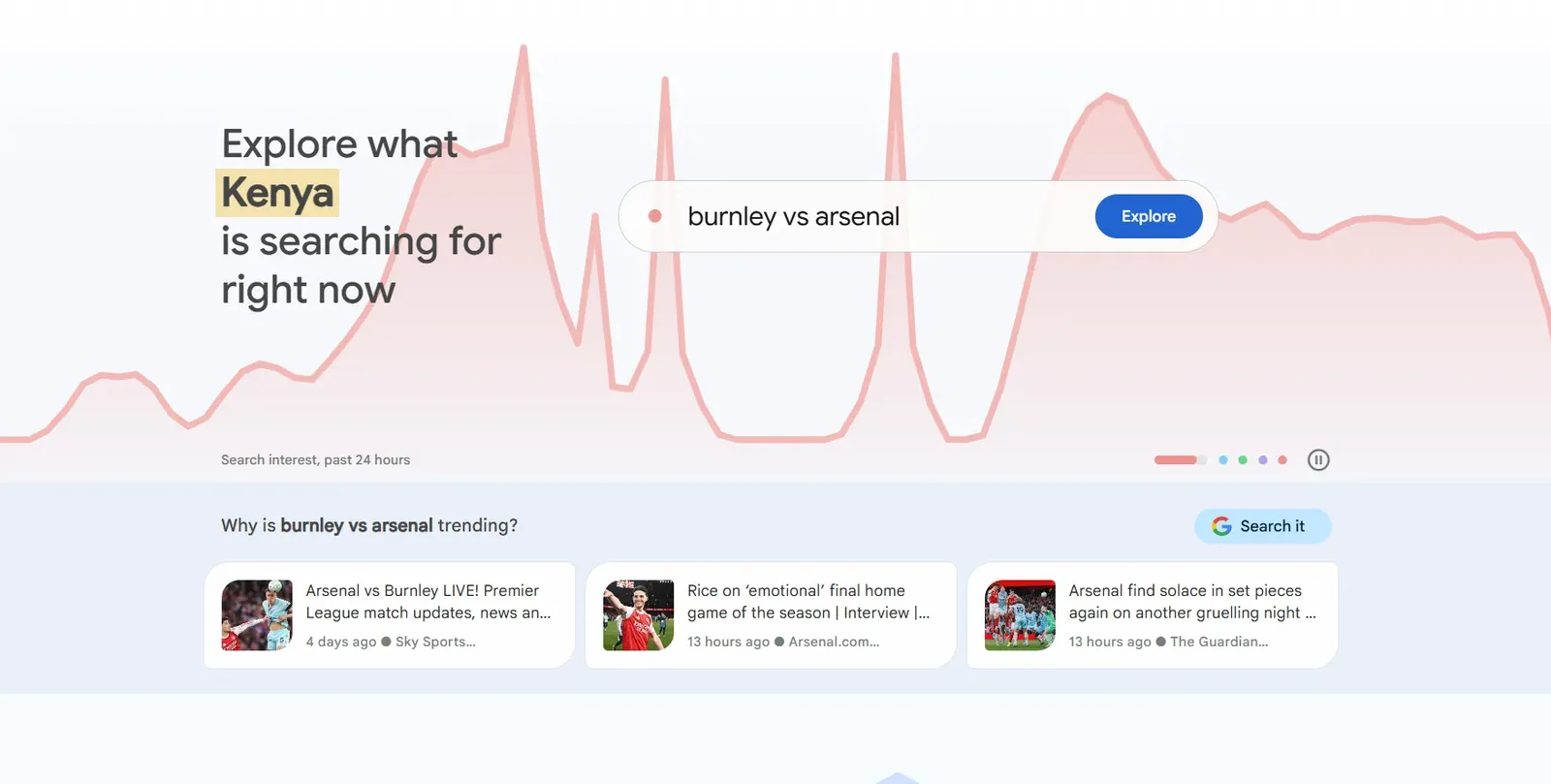
Google Trends for YouTube is one of the most underused research tools available to creators. Most people use Google Trends to check general web search popularity and never touch the setting that matters here.
It has a YouTube-specific filter that shows search behavior exclusively on YouTube, a fundamentally different data set from web search. What people Google and what they search on YouTube are not the same thing, and this filter is how you see the gap.
Here is how to use it correctly:
- Go to Google Trends and type your niche topic into the search bar.
- Set your region to your target audience's country.
- Set the time range: Use 90 days to identify sustained trends and 7 days to identify short-term spikes.
- Click the search type dropdown, which defaults to Web Search, and switch it to YouTube Search. This filters all data to show only YouTube-specific search behavior.
- Read the graph: A line that is rising consistently over 90 days signals a sustained trend with compounding potential. A sharp spike followed by a drop signals a viral moment that has already peaked.
- Scroll down to Related Queries and switch the filter from Top to Rising: These are the search phrases gaining the most momentum right now within your topic. Each rising query is a potential video angle with early-mover advantage.
Comparing two topics is where Google Trends becomes particularly powerful for content decisions. Enter two competing topics into the comparison tool and switch to YouTube Search. The topic with the steeper upward curve over the last 90 days is the better content investment for a channel looking to capture rising demand.
Pro Tip: Use the Related Queries rising filter specifically for video title angles, not just topic confirmation. A rising query like "AI video editing for beginners 2026" is not just a trend signal. It is a ready-made video title with proven search momentum behind it. Copy the exact phrasing from the rising queries list into your title and description for maximum relevance alignment.
What Google Trends cannot tell you is the absolute search volume behind a keyword. It shows relative popularity on a scale of 0 to 100, not raw monthly searches. Use it alongside keyword research to get both the momentum signal and the volume data before committing to a topic.
YouTube Search Autocomplete and the Studio Research Tab
YouTube autocomplete is a real-time window into YouTube search trends as they develop. Every suggestion that appears when you type into the YouTube search bar is pulled from actual search behavior on the platform, ranked by frequency and recency.
The letter-by-letter method surfaces trending angles most creators never find. Type your niche topic followed by each letter of the alphabet one at a time and record every suggestion that appears. "YouTube trends a", "youtube trends b", and so on.
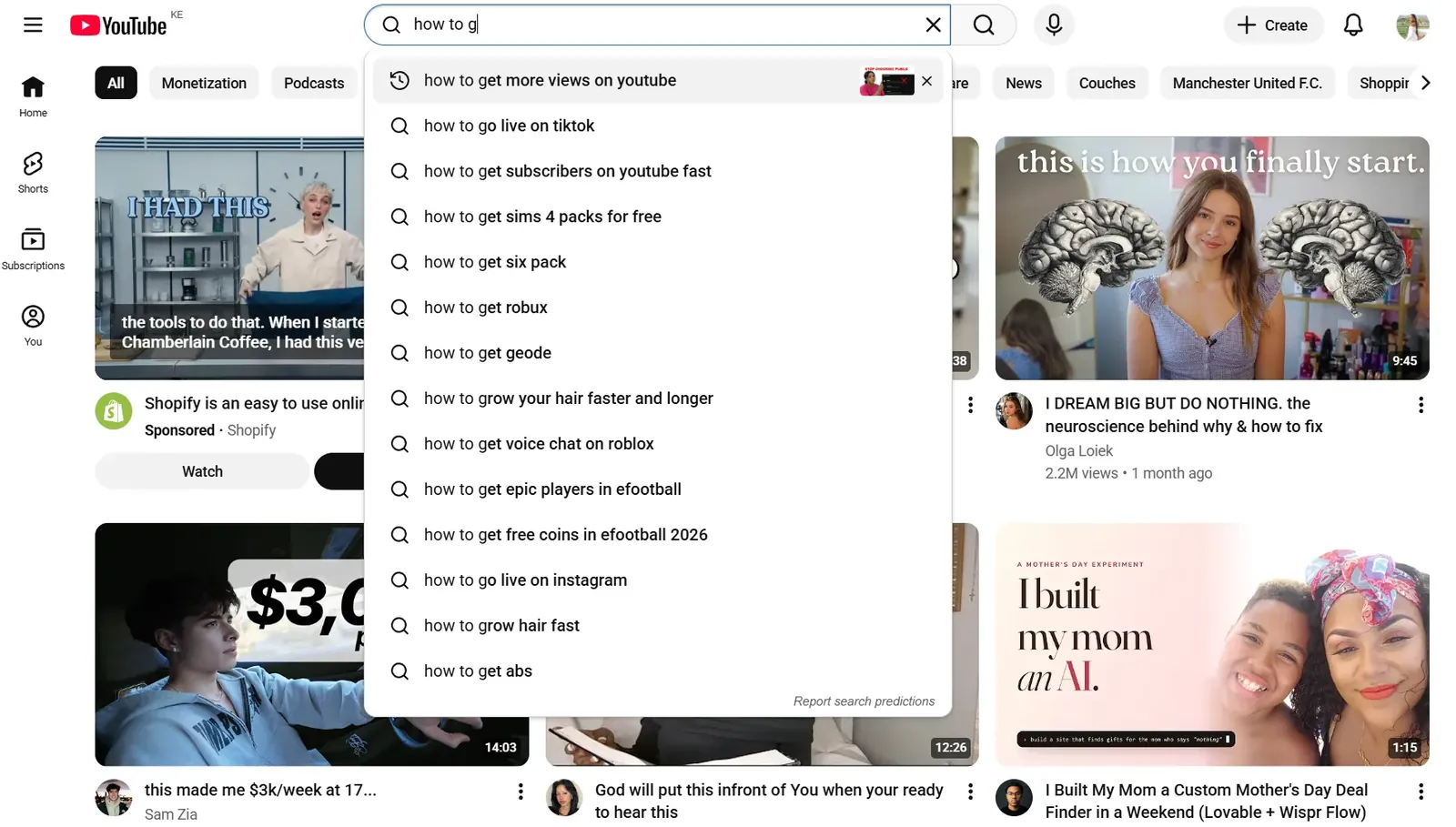
Each letter returns a different set of suggestions, many of which reflect searches that are currently rising in volume before they appear in any keyword research tool.
Here is how to read the autocomplete signals:
- Suggestions that include a current year (2026) signal active search demand from viewers looking for up to date information.
- Suggestions phrased as questions signal informational intent with high video consumption likelihood.
- Suggestions that include "vs", "review", or "best" signal purchase or comparison intent with higher CPM potential.
- Suggestions you have never seen before in your niche signal an emerging YouTube keyword search trends angle worth investigating further.
The YouTube Studio Research Tab gives you a more structured version of the same data. Here is how to access it:
- Open YouTube Studio and click Analytics in the left menu.
- Click the Inspiration tab at the top of the Analytics page.
- Type your niche topic into the search bar.
- YouTube returns a list of related search terms with volume indicators showing high, medium, or low demand. The Your viewers search for section shows what your existing audience is actively looking for that you have not yet covered.
- Click Show All under Top Searches, then select Content Gaps to find topics with high search demand and low content supply on the platform. These are the highest value trend opportunities available to your specific channel.
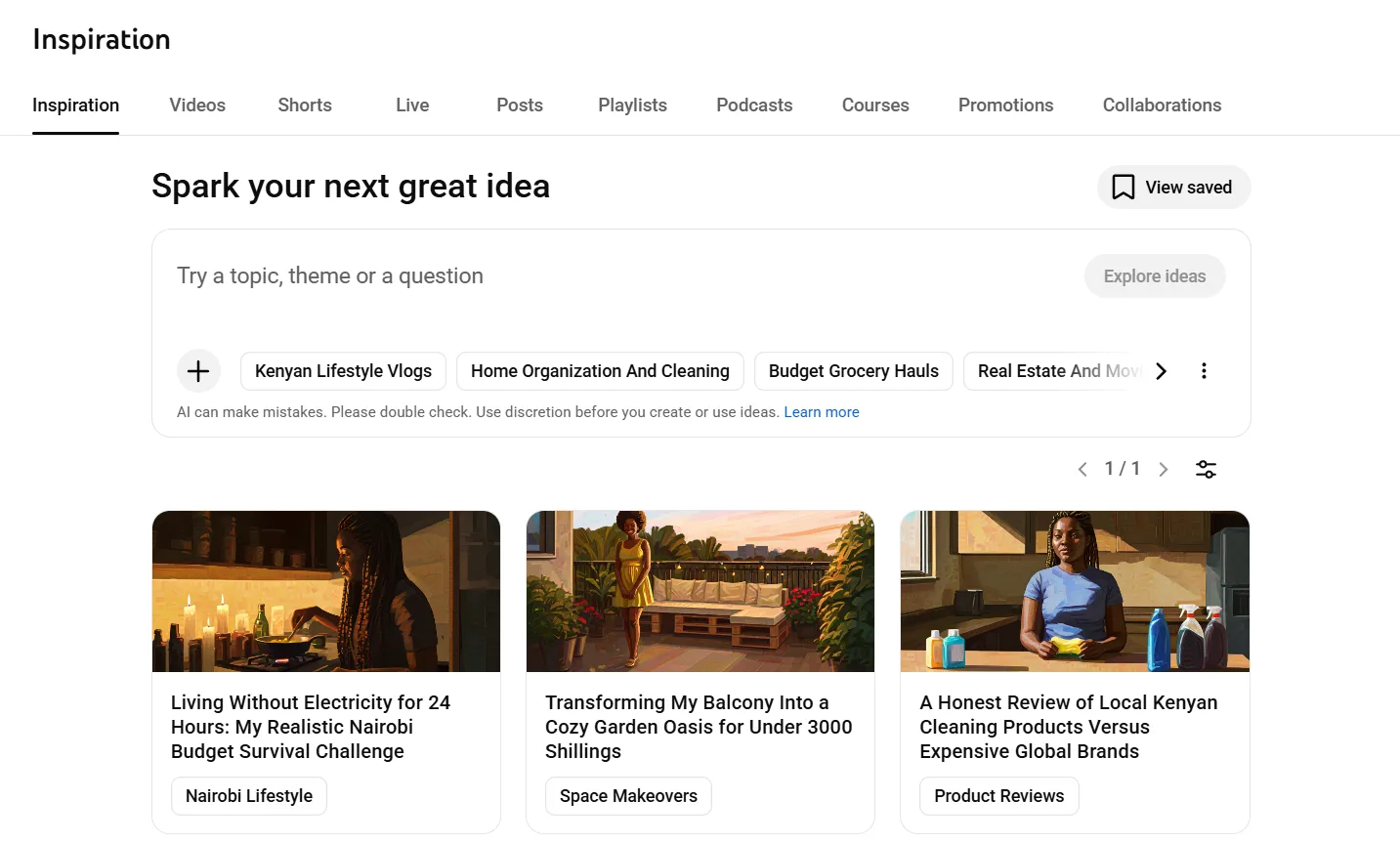
The Research tab is the only tool that shows you trends specific to your existing audience rather than the platform as a whole. A rising search term among your own viewers is a trend signal with a pre-qualified audience already attached to it, which makes it far higher confidence than anything a general tool surfaces.
Pro Tip: Check the Research tab before every upload, not just when you are stuck for ideas. Your audience's search behavior shifts as your channel grows and attracts different viewer segments. A search gap that did not exist three months ago may represent your highest opportunity video right now.
Top YouTube Searches and Most Searched Topics
Understanding the top YouTube searches across the platform gives you a baseline for what audiences are consistently looking for, independent of short-term trend spikes. These are the categories with sustained search demand that produce reliable traffic month after month.
Here is what the most searched on YouTube topics look like by category in 2026:
| Category | Top Search Types | Trend Direction |
|---|---|---|
| Music | New releases, lyrics, live performances | Stable, evergreen |
| Gaming | Game titles, walkthroughs, reviews | Stable with seasonal spikes |
| Finance | Budgeting, investing, passive income | Rising consistently |
| AI and Technology | AI tools, tutorials, comparisons | Rising sharply |
| Health and Fitness | Workout routines, weight loss, nutrition | Stable, seasonal peaks |
| Education and Tutorials | How-to, beginner guides, certifications | Rising consistently |
| Entertainment | Reactions, commentary, pop culture | Volatile, trend-dependent |
| Personal Development | Productivity, mindset, career advice | Rising consistently |
The categories marked as rising consistently are where search demand is growing faster than content supply. Finance, AI and Technology, Education, and Personal Development all have more searches being made than quality videos being published to answer them. That supply gap is where a smaller channel finds the most traction, because you are competing for attention that existing videos are not yet satisfying.
YouTube Charts, at charts.youtube.com, is the structured companion to those real-time signals. It surfaces the most viewed content across music, podcasts, and video categories, updates weekly, and shows both current top performers and rising content. Its category focus makes it most useful for creators in music, podcasting, and entertainment, and a broader read on sustained demand than scrolling recommendations for everyone else.
YouTube also publishes its own trend analysis at youtube.com/trends, the Culture and Trends hub. It is less a real-time feed and more an editorial read on which formats, creators, and cultural moments are shaping the platform, broken down by region. Use it for the bigger-picture shifts, the format-level changes worth planning a quarter around, rather than the individual topic you film this week.
The most important insight from studying top searches is not copying what is already popular. It is identifying which rising categories align with your niche so you can position your content at the intersection of sustained demand and your existing authority.
Pro Tip: Cross-reference the rising categories in the table above with your YouTube Studio Research tab data. If a category is rising platform-wide and your specific audience is also searching for it, that overlap is your highest confidence content investment for the next 90 days.
Find Outlier Videos Already Breaking Out in Your Niche
The fastest way to spot a live trend is to find videos that are massively out-performing the channel that made them. An outlier is a video pulling far more views than its channel's usual baseline, which is the clearest signal that a topic, title, or format has struck a nerve right now, not last year.
To find them by hand, open channels similar to yours, sort their videos by most popular, and look for recent uploads whose view counts dwarf the rest of their catalog. A channel that averages 10,000 views with one three-week-old video at 400,000 is showing you a trend with proof of demand already attached.
Doing this at scale by hand is slow, which is why an outlier finder does it for you. Our Outliers tool scans the channels in your niche and surfaces the recent videos over-performing their baseline, ranked by how far they beat it, so you see the breakout topics and formats worth adapting before they saturate.
Pro Tip: An outlier is only worth chasing if you can add a genuinely new angle. Copy the topic, not the video. A second identical upload rarely beats the first, but a sharper title or a sub-topic the original skipped often does.
Social and Cross-Platform Trend Monitoring
The most valuable YouTube trends are rarely born on YouTube. They start on TikTok, X, and Reddit, then migrate over as creators translate short-form viral moments into longer, search-optimized content. The gap between a trend appearing on TikTok and saturating YouTube is typically 48 to 72 hours. That window is your earliest entry point, and watching the source platforms is how you reach it before the topic lands on YouTube at all.
Dedicated trend databases speed this up. Exploding Topics tracks search terms accelerating across the web and flags them months before they peak, which helps you spot a rising subject early even when it has not surfaced in your YouTube signals yet. Treat it as a leading indicator to validate against YouTube demand, not a replacement for it.
TikTok
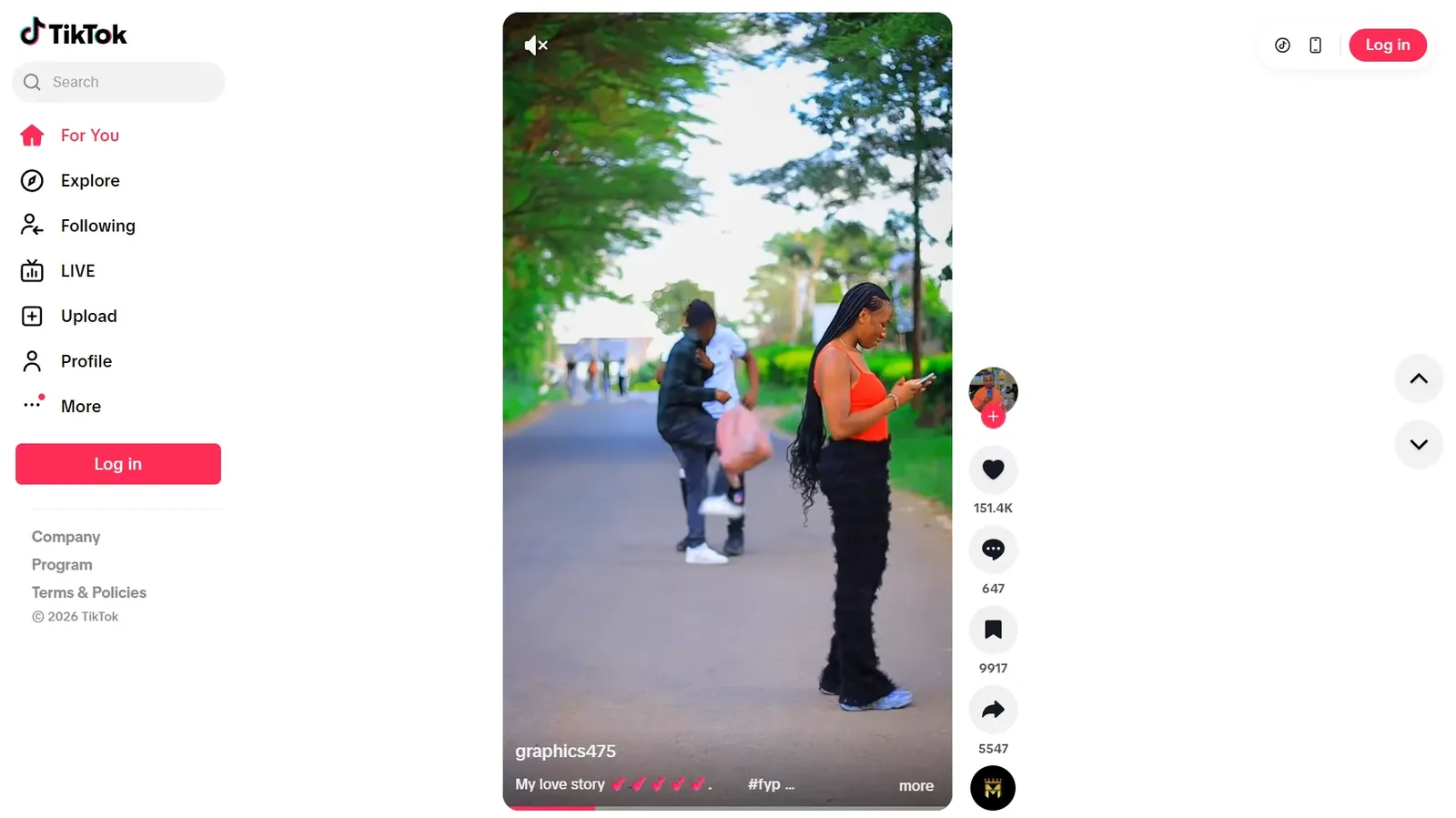
TikTok is the strongest leading indicator for YouTube trends across entertainment, lifestyle, food, fitness, and personal finance content. A format or topic gaining rapid engagement on TikTok will almost always appear on YouTube within days as creators adapt it for a longer format.
Check the TikTok Discover page and the For You feed daily for your niche. When you see a format or topic appearing repeatedly from different creators, that repetition is the signal. For a structured version, open the TikTok Creative Center, TikTok's free public tool that ranks trending hashtags, sounds, and videos by country and category, so you can spot a rising format by region before it crosses over to YouTube.
X (Formerly Twitter)
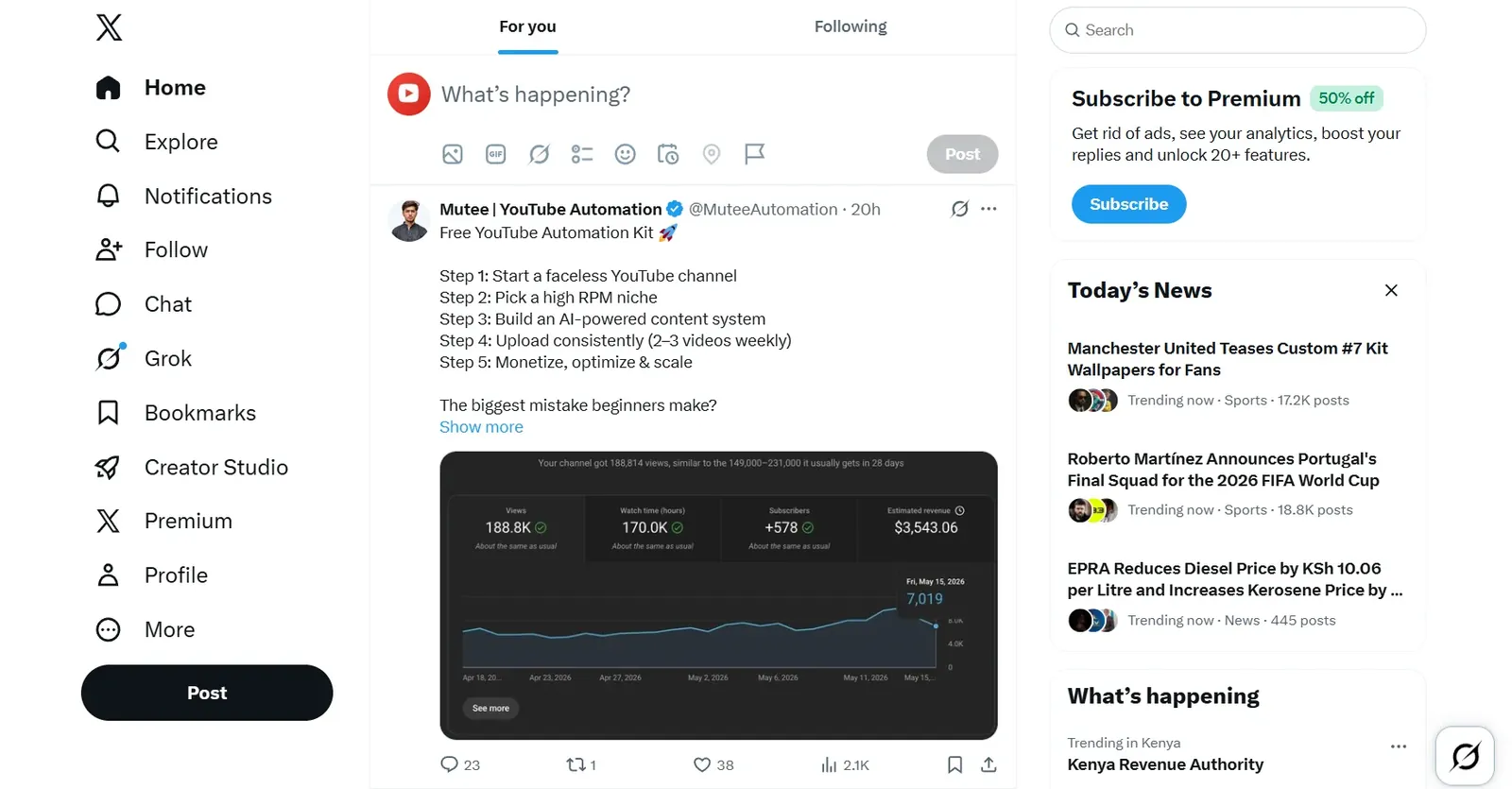
X (formerly Twitter) surfaces breaking news, cultural moments, and industry debates before they reach YouTube. The Trending tab on X shows what people are discussing right now. Filter it by your niche using lists of accounts you follow rather than the global trending feed, which is dominated by news and politics.
A debate or announcement trending on X with high engagement is a commentary or reaction video opportunity with a tight publishing window.
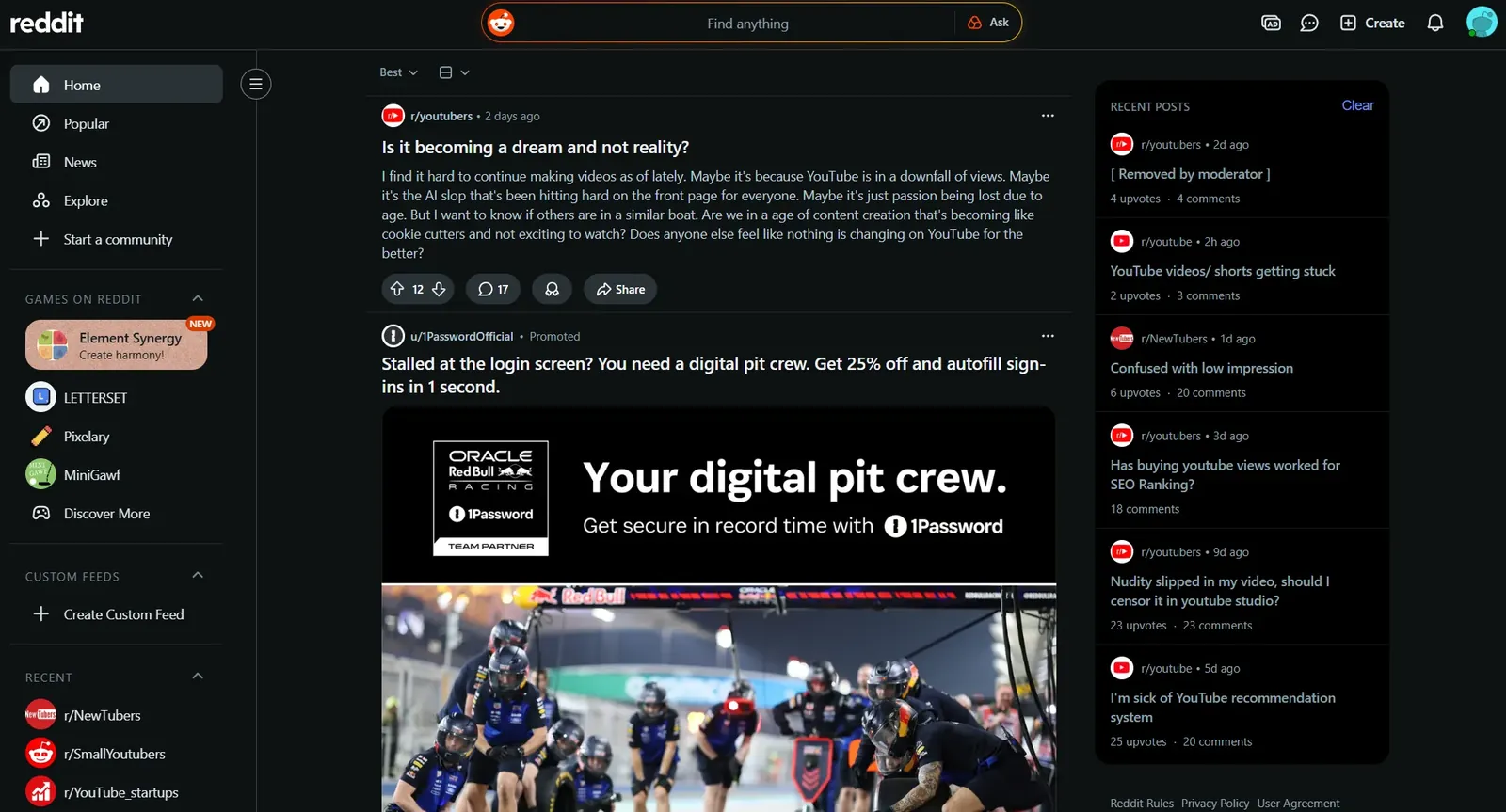
Reddit is the most underused cross-platform trend signal for YouTube creators. The Rising tab on any subreddit in your niche shows posts gaining momentum before they reach the front page. A post gaining traction on r/personalfinance, r/fitness, or r/entrepreneur today is a topic your YouTube audience will be searching for within 48 hours.
Pro Tip: Build a monitoring list of 10 to 15 Reddit subreddits, TikTok creators, and X accounts in your niche. Check this list once per day in under 15 minutes rather than scrolling platforms open-endedly. Structured monitoring produces better signals than passive consumption and protects your time from platform rabbit holes that produce nothing actionable.
How to Find Trending YouTube Shorts
Shorts move faster than any other format on YouTube, and they run on their own trend signal: the sound, not just the topic. A Short built on a rising audio track in the first day or two of its climb can reach far past your subscriber count, while the same idea posted a week later lands flat. Finding the sound early is the whole game.
YouTube now has a Trends page built into the Shorts feed itself. Pause on any Short, tap Trends at the top of the screen, and you get trending audio and format inspiration personalized to your niche. This is the creator-facing feature, separate from the public Trending page that YouTube retired, and it is the fastest way to see which sounds are rising for an audience like yours.
Two more signals fill in the picture. Tap the sound name at the bottom of any Short to open its audio page, which shows how many Shorts already use that track. A few thousand videos means it is still early; hundreds of thousands means it has already peaked. The YouTube Studio Research tab then confirms demand against your own channel, surfacing breakout Shorts and content gaps from what your audience watched in the last 28 days.
Formats matter as much as sounds. In 2026 a trending Short is rarely a single topic. It is a repeatable structure you can publish every week without burning out: the day-in-the-life mini vlog, the food or fitness challenge, the quick DIY or how-to, the short explainer, the reaction over a rising track. Pick a structure that fits your niche, then swap the topic and the audio as trends move through it.
One caution before you reach for a viral song. Trending audio is not automatically cleared for monetized use, and a track that triggers Content ID can divert your revenue to the rights holder. When a Short is meant to earn, lean on YouTube's own Shorts audio library or a licensed music source rather than whatever is viral this week.
Pro Tip: Save three to five rising sounds from the Shorts Trends page whenever you open it, before you need them. When you sit down to film you already have a shortlist of audio that is still climbing rather than peaked, and you can match a track to your niche in seconds instead of chasing one that has saturated by the time you publish.
How to Turn a Trend Into a Video Before It Peaks
Finding a trend is the easy part. The creators who consistently win with YouTube trending topics are the ones who move from discovery to published video faster than everyone else without sacrificing the quality that makes the video worth watching.
Here is the timing framework:
Step 1: Identify the Trend Signal
A topic appears in your cross-platform monitoring. It shows up on the TikTok Discover page, a related Reddit post is gaining traction, and the Google Trends YouTube filter shows a rising curve over the last 7 days. Three signals pointing at the same topic at once is your confirmation threshold. One signal is noise. Three is a trend worth acting on.
Step 2: Validate Search Demand
Open YouTube autocomplete and type the topic. If multiple specific search phrases appear immediately, search demand exists. For a fast read on the related phrases and how crowded the term already is, run it through the free keyword research tool, then open the YouTube Studio Research tab to check whether the topic appears in rising searches for your audience.
A trend with social momentum but no search demand is a spike. A trend with both is a sustained opportunity. Search demand is what tells you people will still be looking for this a month from now, not just scrolling past it today.
Step 3: Find Your Specific Angle
Do not cover the trend the same way every other creator is covering it. Search the topic on YouTube and filter results by upload date to see what has been published in the last 48 hours. Identify the gap. What question is every existing video leaving unanswered. What perspective is missing. Your angle is the answer to that question from your specific point of view and niche authority.
Step 4: Script and Film Fast
A trend video does not need to be your most polished production. It needs to be accurate, clear, and published while the topic is still rising. Write a tight script covering your specific angle in the most direct structure possible: hook, context, your take, practical takeaway. Film in one session. Edit for clarity, not perfection.
Step 5: Optimize the Metadata Before Publishing
Use the exact rising query phrases you found in Google Trends and YouTube autocomplete in your title and description. These are the phrases viewers are actively typing right now. A trend video with weak metadata loses to a slightly weaker video with precise keyword alignment. All the research in the world is worth nothing if it never makes it into the title.
Step 6: Publish and Promote Immediately
Post the video, share it across every platform where your audience exists, and engage with every comment in the first two hours. Early engagement velocity signals to the algorithm that the video is worth amplifying. A trend video that sits without engagement in the first hour loses algorithmic momentum at the exact moment it needs it most.
Pro Tip: Publish a YouTube Short on the same trend topic the same day as your long-form video. The Short captures the viewers who will not watch a full-length video on the topic and drives them to the long-form version for depth. Two pieces of content from one research session doubles your surface area during the trend window without doubling your production time.
A trend video that ships today with a clear angle beats a perfect video that ships next week into a saturated topic, every time.
See which trends your competitors are already winningCompetitor Analysis pulls the rising topics, title patterns, and content gaps from the channels beating you in your niche, so your next trend video starts with data instead of a guess. Free to try.Try Competitor Analysis →What's Trending on YouTube in 2026
YouTube trends in 2026 have shifted away from one-off viral moments toward sustained content formats that reflect how audiences now discover and consume video. The platform's biggest growth areas this year are structural changes in creator behavior rather than individual trending topics. Treat this section as the macro shifts to plan around, and use the live methods above (YouTube Charts, the Studio Research tab, and outlier tracking) for the specific topics trending in your niche this week. Here are the format-level trends defining YouTube in 2026:
The Long-Form Comeback, Shorts as the Funnel
After years of Shorts dominance, the 2026 algorithm has tilted back toward long-form. Videos over 10 minutes, and increasingly over 20, are getting preferential placement in suggested and home feeds, because longer watch time and the new satisfaction signal both reward depth over a quick hit.
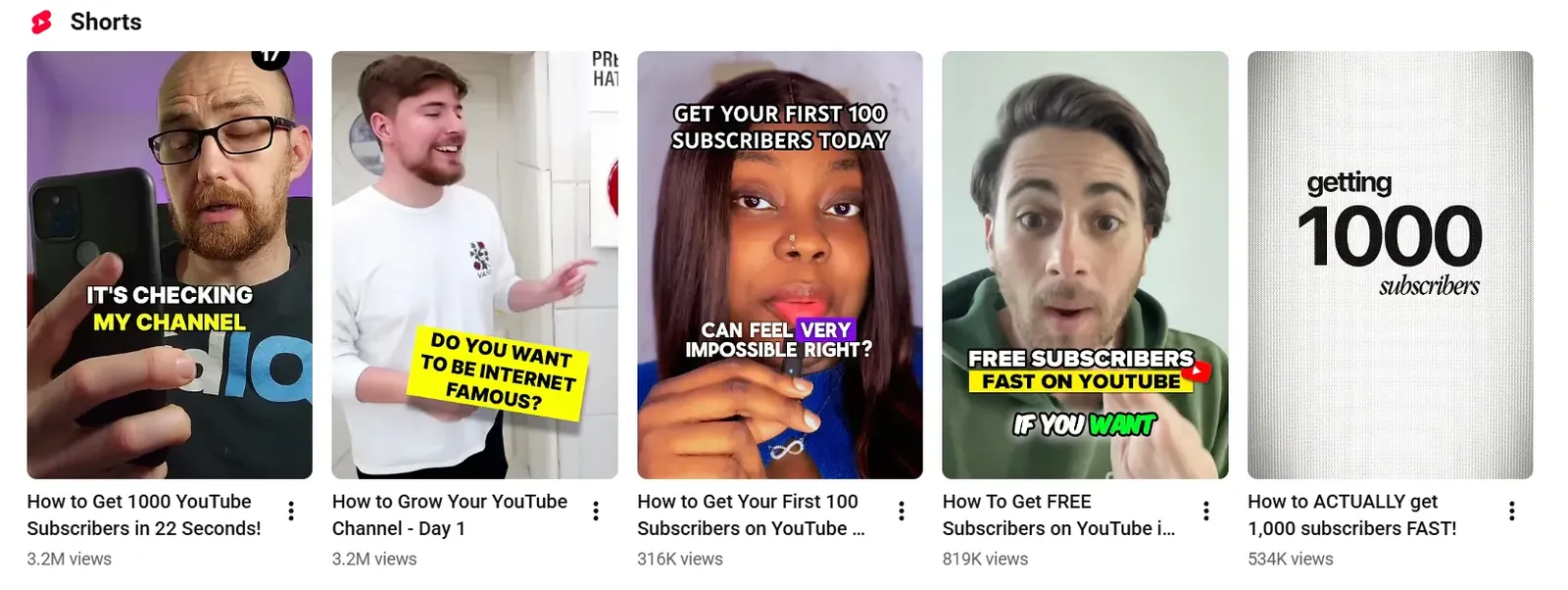
Shorts have not gone away, their role changed. The winning 2026 setup uses Shorts as the discovery funnel, a hook that pulls new viewers in, then routes them to long-form, podcasts, and memberships where retention and revenue compound. Multi-format channels are now outgrowing both Shorts-only and long-form-only channels.
Video Podcasts
Audio-first podcasts are migrating to YouTube as creators recognise the platform's search and recommendation infrastructure as a distribution advantage. Video podcast content is one of the fastest growing YouTube keyword trends categories in 2026, with watch time on podcast-format content up significantly year over year.
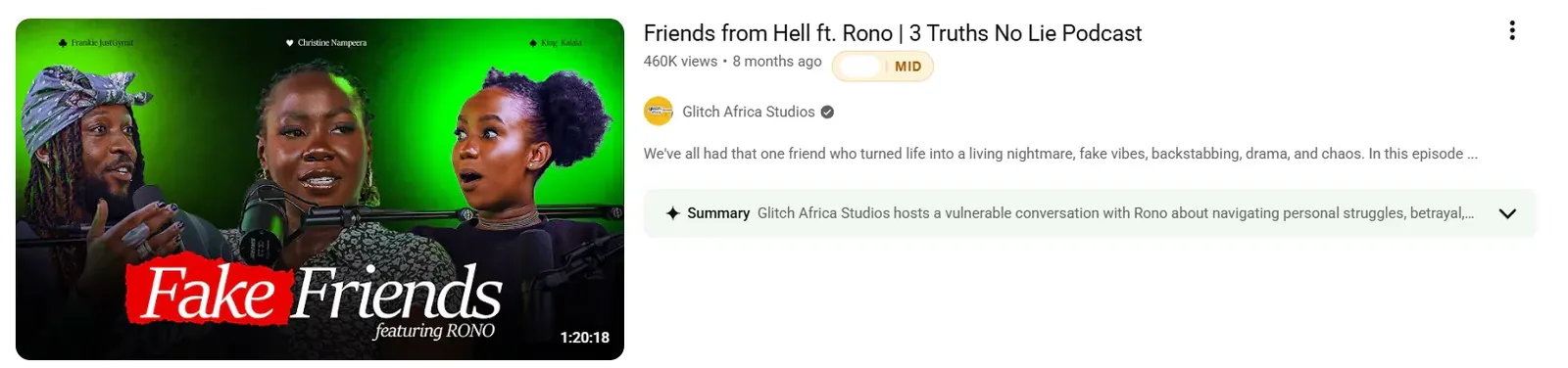
For creators, this represents an opportunity to repurpose existing audio content into a YouTube-native format with minimal additional production investment.
AI-Assisted Content Creation
Tutorial and review content covering AI tools is among the most searched on YouTube topics in 2026. How-to videos covering specific AI workflows, comparisons between AI tools, and beginner guides to AI-assisted editing are all pulling strong search traffic with relatively low competition compared to their search volume.
Creator-Led Brand Partnerships
Sponsored content has shifted from brand-controlled messaging to creator-controlled integration. Audiences respond more positively to partnerships where the creator maintains their authentic voice. This shift is reflected in the types of content performing best in the brand partnership space and in what viewers actively choose to watch versus skip.
Shopping-Enabled Video
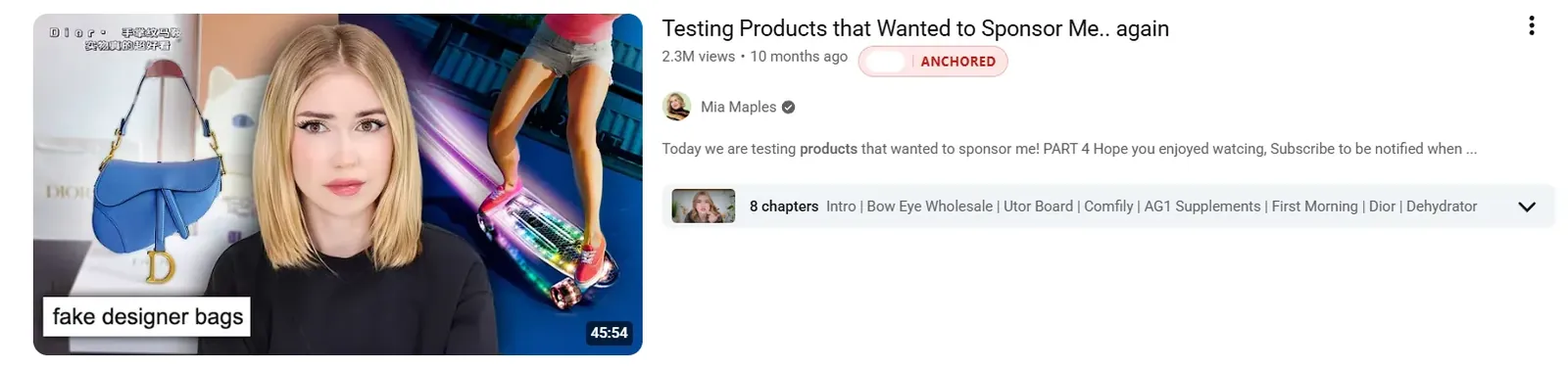
YouTube's expansion of its shopping features means product review, comparison, and recommendation content now converts directly to purchases within the platform. Creators in the review and tutorial space are seeing revenue from shopping integrations that previously required viewers to leave YouTube entirely.
Community-Driven Content
Comment section questions, community polls, and viewer-submitted content are becoming primary inputs for content planning among growing channels. Creators who build content directly from audience requests are seeing higher engagement rates and stronger subscriber loyalty than those planning content independently of their audience.
Authentic, Low-Production Content
The polish arms race is reversing. Creators are trading heavily edited, high-gloss videos for unfiltered, direct-to-camera content that feels like a message from a friend, and even thumbnails are getting simpler. The 2026 viewer rewards intimacy and trust over production value, which is good news for smaller channels that could never out-produce a studio anyway.
Worth knowing what is cooling, too. Pure Shorts-only strategies, over-produced everything, and exaggerated clickbait thumbnails are all hitting diminishing returns as the algorithm leans on satisfaction and audiences tune out the formula. Chasing a peaking format is how you arrive late to a trend that is already on its way down.
Pro Tip: The AI tools and video podcast categories are currently in the rising phase of their trend curves, not the peak. Both have sustained search demand that is growing faster than content supply. Entering either category now with well-researched, specific content gives a smaller channel a realistic ranking opportunity before competition fully densifies.
A Simple Weekly Workflow for Tracking YouTube Trends
A trend research system only works if it is simple enough to run consistently. This workflow takes under 30 minutes per day and covers every major signal source without turning trend monitoring into a full-time job.
| Day | Task | Tools |
|---|---|---|
| Monday | Check YouTube Charts for rising content in your category. Run Google Trends YouTube Search on your 2 to 3 core niche topics and note any rising curves over the last 30 days. | charts.youtube.com, Google Trends |
| Tuesday | Take Monday's strongest signals and type each into YouTube autocomplete using the letter-by-letter method. Record every specific phrase that appears. | YouTube search bar |
| Wednesday | Open the YouTube Studio Research tab. Check whether Monday's topics appear in your audience's rising searches. Note any gap indicators. | YouTube Studio Analytics, Research tab |
| Thursday | Check your Reddit, TikTok, and X monitoring list. Flag any topics from Monday now showing social traction. Two platform signals on the same topic crosses the confirmation threshold. | Reddit Rising tab, TikTok Discover, X Trending |
| Friday | Pick the single strongest validated trend. Script, film, and publish or schedule before end of day. Publish a Short on the same topic the same day. | YouTube Studio, Video Ideas tool |
The discipline of acting on one trend per week beats researching ten and filming none. That single habit is what separates creators who benefit from trend monitoring from those who treat it as a research exercise that never produces a video.
Pro Tip: The Competitor Analysis tool pulls trend-validated content suggestions directly from competitor performance data in your niche, surfacing the topics your competing channels are gaining traction on right now so you can identify gaps and act on them faster than the manual workflow alone allows.
Frequently Asked Questions About YouTube Trends
How Does YouTube Trending Work?
A topic trends when its view velocity, engagement rate, and search volume growth cross a threshold that signals the algorithm to amplify it further. The algorithm does not start trends, it accelerates ones already gaining momentum.
Since YouTube retired the Trending tab in 2025, no single public list defines what is trending anymore. Momentum now shows up across search, recommendations, and the category charts, which is why a video can keep climbing for days once it catches.
What is Trending on YouTube Right Now?
YouTube retired the single Trending tab in July 2025. To see broadly popular content now, open YouTube Charts at charts.youtube.com, which ranks the top videos by category for music, podcasts, and movie trailers. For niche-specific trends, the YouTube Studio Research tab is more useful, since it shows what your specific audience is actively searching for right now.
What Happened to the YouTube Trending Tab?
YouTube removed the standalone Trending page and Trending Now list in July 2025 and replaced them with category-specific YouTube Charts for music, podcasts, and movie trailers. YouTube said trends had fragmented into many community-driven micro-trends that a single national list could no longer capture. Broad discovery now runs through Charts, the Explore menu, and personalized recommendations.
What Are the Most Searched Topics on YouTube?
The most searched on YouTube topics consistently fall into music, gaming, finance, AI tools, fitness, and education. Within those categories, how-to content, product reviews, and beginner guides drive the highest search volume.
How Do I Find Trending Topics for My Specific Niche?
Combine three signals: YouTube autocomplete for real-time search behavior, the YouTube Studio Research tab for audience-specific gaps, and Reddit's Rising tab for early cross-platform signals. A topic appearing across all three simultaneously is your highest confidence trend opportunity.
How Do I Find Trending YouTube Shorts?
Open the Trends page inside the Shorts feed (pause on a Short and tap Trends) to see rising audio and formats personalized to your niche. Tap the sound name on any Short to open its audio page and check how many videos already use it, a low count means it is still early. Then cross-check the YouTube Studio Research tab for breakout Shorts among your own audience before a format saturates.
Is There a Free Tool to Find Trending YouTube Topics?
Yes, and the best ones are free. YouTube autocomplete and the Studio Research tab are free and native, Google Trends with the YouTube filter is free, and for finding videos already breaking out in your niche, an outlier finder like our free Outliers tool surfaces the over-performing videos automatically. Most creators need no paid tool to spot trends early.
Does Chasing Trends Hurt My Niche?
It can, if you chase every trend regardless of fit. Jumping on unrelated trends confuses the algorithm about who your channel is for and trains it to stop recommending you to the right audience. The fix is to only ride trends that overlap your niche, and to bring your own angle rather than copying the video already winning. A trend is a topic to adapt, not a format to clone.
Stay Ahead of the Curve, Not Behind It
The creators who consistently benefit from YouTube trends are not the ones with the best instincts. They are the ones with the most reliable system for finding, validating, and acting on trends before the window closes.
The methods in this guide work individually. Combined into the weekly workflow, they give you a structured process for identifying YouTube trending topics at the earliest point of their growth curve, validating them against real search demand, and publishing before the topic becomes too competitive to rank in.
Find the trend early. Confirm it has search demand. Pick a specific angle no one else has covered. Publish fast.
That four-step process applied consistently every week compounds into a channel that grows with trends rather than chasing them after the fact. The YouTube search trends that will drive your biggest videos over the next 90 days are rising right now. The question is whether you find them before or after your competitors do.
For a faster and more structured way to identify which trending topics your competing channels are already acting on, a structured competitor analysis surfaces those gaps in real time so your next trend video starts with data, not guesswork.